For the admin who has to prove who can see what
Which spaces can this group reach, and which pages are locked?
Confluence's User access report lists a group's spaces as admin or user, and on Premium checks one page at a time. AccessLens answers in full — by group, by user or by space, with group membership expanded so what you see is effective access — then adds the part Confluence makes hardest to self-check: page restrictions, and what inherits them. Freeze the result as a snapshot, diff any two quarters, sign the review off. Read-only, and nothing leaves Atlassian.
Free for sites up to 10 users. Above that it is priced per user per month and billed by Atlassian — see pricing on the Marketplace.
Read-only: no write scopes at all. Audit data never leaves your Atlassian tenant.
Watch the 1:10 demo- Works in
- Confluence Cloud
- Runs on
- Atlassian Forge
- Your data
- Never leaves Atlassian
- Price
- Free up to 10 users
The gap this fills
Three questions Confluence answers only in part. Which spaces can this group reach? The User access report lists them as admin or user, and leaves out the restricted pages the group can open. Who had access on a given day? The native audit log is an event stream, not a state. Which pages are locked, and why can I not see one? Restricted pages are listed one space at a time, view restrictions inherit downwards, and restrictions can only narrow space permissions and never widen them — so a restriction naming a group with no space access grants nothing at all, the reverse of what the admin who typed it believed.
The first exists on the Jira side too, where the request has been open since 2019 with over a thousand votes (JRACLOUD-71967) and remains unresolved. On the Confluence side, listing the spaces and restricted pages a group can reach has been requested since 2022 (CONFCLOUD-74405).
Capabilities
What it does
Answer who can reach what
Reverse lookup in three directions — by group, by user or by space — with group membership expanded to effective access. A lookup by user keeps every inheritance path, not just the first one found, and a lookup by group or user lists the restricted pages that name them, with whether that lets them in.
Find locked pages, and what locks them
Restricted pages per space, the restriction type, and the inheritance source — because a page is often hidden by an ancestor rather than by itself.
Findings, not just facts
Five classes of restriction problem: restrictions that grant nothing, pages only one person can read, edit-only restrictions, restrictions naming individuals rather than groups, and pages hidden by an ancestor.
A snapshot is audit evidence
Capture every current space's permission state, manually or on a schedule. Large sites finish because the scan is sharded and resumable — the cursor reaches inside a single space, page by page — and a space it cannot read stays in the snapshot with the reason, never silently dropped.
Diffs an admin can read
Compare any two snapshots, reported one row per space and subject. Five administrative changes read as five rows, never as fifty permission lines — and what either side could not read is listed as not comparable, not as a change.
Reviews that are signed
Confirm or flag space by space. Each decision carries the reviewer's Atlassian account id and a server-side UTC timestamp, and the review freezes once signed. Every view exports as CSV.
Walkthrough
A quarterly access review, end to end
-
The snapshot is already there
A scheduled scan captured the site last night. Before it ran, AccessLens said what it would cost in Confluence API points and what share of the shared hourly quota that is — so nothing surprises anyone.
-
Read the diff, not the whole site
Compare against last quarter's snapshot. One row per space and subject: the contractor group that gained three spaces in June is three lines, one per space, not a line for every permission it gained.
-
Check the pages, not just the spaces
The restriction audit lists the locked pages it can read in the spaces under review (200 per space by default, or all of them), including the ones hidden by an ancestor rather than themselves — and flags the restrictions that grant nothing because the group named in them cannot see the space.
-
Sign it and keep it
Confirm each space or flag it with a note. The sign-off records the reviewer's account id and a server-side UTC timestamp, then freezes. Export the CSV into the evidence pack and the quarter is closed.
Compared honestly
Against what you have today
| Question | Native Confluence | AccessLens |
|---|---|---|
| Which spaces can this group reach? | User access report: admin or user | By group, user or space |
| Is that answer effective access or just the grant list? | For a person: direct and through groups | Membership expanded |
| Which restricted pages name this group, and does that let it in? | One page at a time, for a person or a group (Premium) | Listed, with what stands in the way |
| Which pages are restricted? | Per space, in space settings | Per space, with findings |
| Is this page hidden by itself or by an ancestor? | Per page, in the share dialog | Named, per page |
| What did access look like last quarter? | Event log, not state | Snapshots and diffs |
| Evidence a reviewer signed? | — | Account id and UTC timestamp |
| Does audit data leave Atlassian? | — | Never — and read-only |
Rolling out Rovo, or connecting AI tools through the Atlassian MCP server? The guide to checking permissions before you turn on Rovo lists what to look at first, in Confluence and in Jira.
Limits
Three restraints, on purpose
Each of these is the opposite of what a tool normally does, and each one exists because the people who buy an audit tool are exactly the people a convenient default would hurt.
At the retention limit it refuses a new snapshot rather than evicting an old one. No automatic rotation. An audit record destroyed without anyone asking is worse than a scan that declines to run and tells you why.
When it cannot read something it marks the snapshot partial instead of quietly reporting less. A clean report that was never complete is the most expensive thing an audit tool can hand you.
Where a tenant cannot expose anonymous access at all, it says the access is not observable here — not “none found”. Confluence's tenant permission models differ, and on some of them the API this app can use does not expose anonymous access. AccessLens measures whether it could observe it, and reports that measurement rather than an absence.
Also, structurally: the app is read-only. It declares no write scope of any kind. It cannot create, change or delete a space permission, a page restriction, a page or a comment, even if it were asked to.
Guides
Guides on permission audit
-
Before you turn on Rovo: check who can see what in Jira and Confluence
Rovo and AI tools connected through the Atlassian MCP server only show what a user can already see.
Availability
Free for sites up to 10 users.
AccessLens for Confluence installs into your Confluence Cloud site straight from its listing on the Atlassian Marketplace. Above ten users it is priced per user per month, and licensing is handled by Atlassian.
-
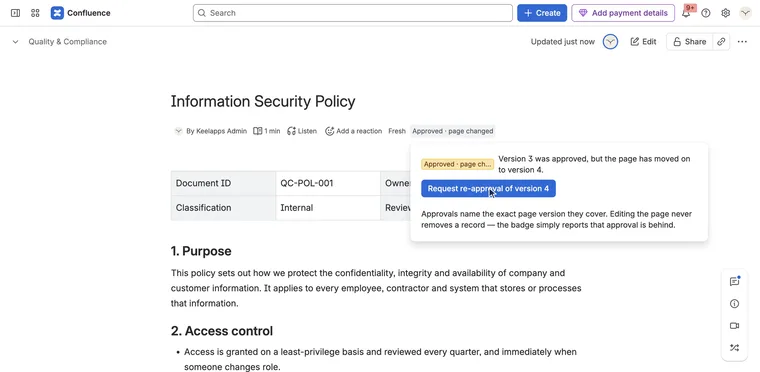
Who approved this version of this page — and is that still good?
Signoff for Confluence Runs on Atlassian
-
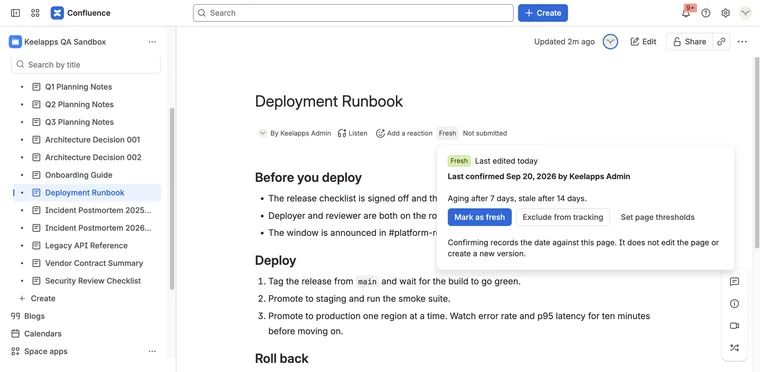
A page that was right two years ago still looks right today.
Evergreen for Confluence Runs on Atlassian
-
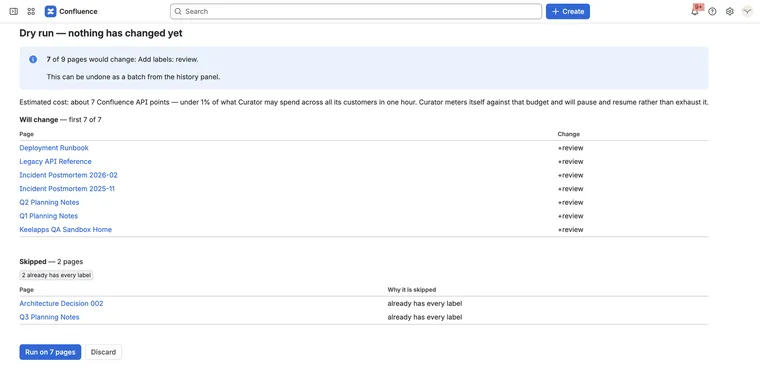
Change three hundred pages at once — and put them back if it was wrong
Curator for Confluence Runs on Atlassian