For the files attached to the wrong pages
Confluence moves attachments one at a time. Satchel moves them in bulk.
Confluence moves attachments one at a time, from each file’s Properties, and downloads them one page at a time. Satchel indexes the whole space instead: search every file, download a structured zip, spot orphans and duplicate candidates, and move attachments between pages in bulk — with a dry run before, an undo after, and a per-file report of what actually happened. Nothing leaves Atlassian.
Free for sites up to 10 users. Above that it is priced per user per month and billed by Atlassian — see pricing on the Marketplace.
Zero egress. The zip is built in your browser; attachment bytes reach no server of ours.
- Works in
- Confluence Cloud
- Runs on
- Atlassian Forge
- Your data
- Never sent to us
- Price
- Free up to 10 users
The gap this fills
CONFCLOUD-15025 — “Bulk Move of Attachments Between Pages” — has been open since March 2009, with 152 votes, and Atlassian's answer in January 2022 was that it is “a feature that we don't have plans to prioritize in the near future.” Cloud moves a file from its Properties, one file at a time.
The rest of it is the same story one level down: Confluence lists a space’s files in space settings and reports storage as one total per space (Standard and up), but it downloads one page at a time; only a space admin's HTML export bundles a whole space's files, in folders named by page ID. The Marketplace has a download-only app in this category and nothing that puts move, orphan detection and storage analysis together.
Capabilities
What it does
Move attachments between pages
Pick the files, pick the target page, read a dry run that names every consequence — including which route the move will take on your site — and undo it afterwards.
Files from any page, one zip
Select files across pages and download one archive, foldered by page title, with a CSV manifest inside it — up to 2,000 files or 2 GB a zip. Built in your browser: attachment content never reaches our servers, because we do not have any.
One table for the whole space
Search and filter every attachment by page, type, uploader and size; select across pages; act in bulk.
Find what nobody is using
Four buckets: files on deleted pages, files on archived pages, files still sitting in the trash, and attachments their own page does not embed or link.
Duplicate candidates
Grouped by normalised filename and identical byte count, with the space each group would reclaim. Candidates, not verdicts — Confluence exposes no content hash.
Delete carefully, or not at all
Bulk delete is off until a site administrator enables it, deletions go to Confluence's own trash where a space admin can restore them, and every one is recorded. Satchel never edits page content.
Walkthrough
Cleaning up a space, end to end
-
Index it once
A scan builds the space's attachment inventory — metadata only, never file content — resumable, so a space with forty thousand files finishes. Before it runs, Satchel shows what it will cost in Confluence API points.
-
Read the four orphan buckets
Deleted pages, archived pages, the trash, and files their own page does not embed or link. The first three are certain; the last is labelled as inferred, and the interface distinguishes “checked and found nothing” from “never looked”.
-
Move what belongs somewhere else
Select the files, pick the target page, and read the dry run: what will move, what will not and why, and which route the move will take on this site — because one route preserves attachment ids and version history and the other does not.
-
Then, if you must, delete
An administrator enables deletion; it goes to the trash rather than the void, and the audit trail records who removed what. Zip it first if you want a copy on disk.
Compared honestly
Against what you have today
| Question | Native Confluence | Download-only apps | Satchel |
|---|---|---|---|
| Move attachments to another page? | One file at a time, via Properties | — | Dry run, per-file report, undo |
| See every page attachment in a space at once? | A list in space settings | Partly | One searchable table |
| Download a whole space's files? | Only inside a space-admin export | Yes | Up to 2,000 files or 2 GB a zip, foldered by page |
| Which files is nothing using? | — | — | Four buckets, honestly labelled |
| Where did the space's storage go? | One total per space (Standard and up) | — | By page, uploader and type |
| Do attachment bytes pass through a vendor server? | — | Often | Never — built in your browser |
Only a few files to move? The guide to moving attachments between Confluence pages has the built-in steps, a REST call that keeps version history, and what every move breaks.
Limits
Limits we state up front
The move has two possible routes, and which one your site allows decides what it costs you. Confluence's v2 API has no attachment write path, so Satchel attempts the honest route first: a single call that re-parents the attachment, preserving its id, its file id and its whole version history. Only if the endpoint answers that the operation does not exist does it fall back to copy-then-delete — which works everywhere, but gives the file a new id, a new file id, a version history starting at 1, and breaks any page body that embedded the file by its old id.
Satchel does not guess which one you get. It attempts, learns from the answer, caches what it learned for your site, reports per file which route actually ran, and prints the consequence in the dry run before you commit. On the copy route the original is deleted only after the copy has been observed on the target page — there is no path where the original is gone and the copy was never made. And nothing in the interface claims ids were preserved unless a re-parent actually succeeded.
Duplicate detection finds candidates. There is no content hash in Confluence's API — the file id identifies the stored file for that one attachment, not a checksum shared across identical uploads. So grouping is by normalised filename and identical byte count, every surface says “candidates”, and two deliberate exclusions follow: same name with different sizes is not grouped (that is two revisions), and same size with different names is not grouped (that is a coincidence, and a common one at small sizes).
Version-history storage is a number we will not fabricate. Confluence reports the current version's size and the version count, but no prior version's size and no aggregate. Multiplying one by the other would be an invention: a document whose first draft was 2 KB and whose tenth is 8 MB is not 80 MB. The storage report gives counts and states plainly what it cannot tell you.
“Unreferenced” means inferred, not proven. The check reads the parent page's body for a reference to the file. A file may still be linked from another page, from a comment, or from outside Confluence. That bucket is labelled inferred where the other three are labelled certain.
“No attachments” is never asserted as a fact. Confluence can answer a read it could not serve with an empty success, so a scan can succeed, index nothing, and be completely wrong. Satchel records that case, phrases it as a question rather than a finding, and gives administrators a one-call check that settles it.
Guides
Guides on bulk attachments
-
How to move attachments between pages in Confluence Cloud
Confluence Cloud moves an attachment to another page one file at a time.
Availability
Free for sites up to 10 users.
Satchel for Confluence installs into your Confluence Cloud site straight from its listing on the Atlassian Marketplace. It is built and deployed on Atlassian Forge.
Licensing is handled by Atlassian. Sites with 10 users or fewer pay nothing at all; paid tiers are priced per user and taper as the site grows, at the same rates as Satchel for Jira.
-
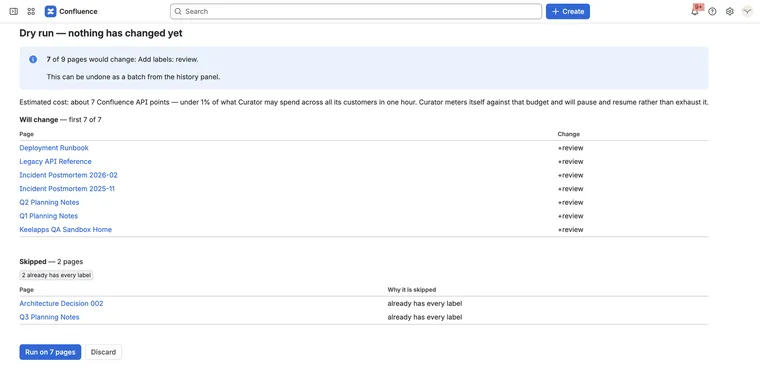
Change three hundred pages at once — and put them back if it was wrong
Curator for Confluence Runs on Atlassian
-
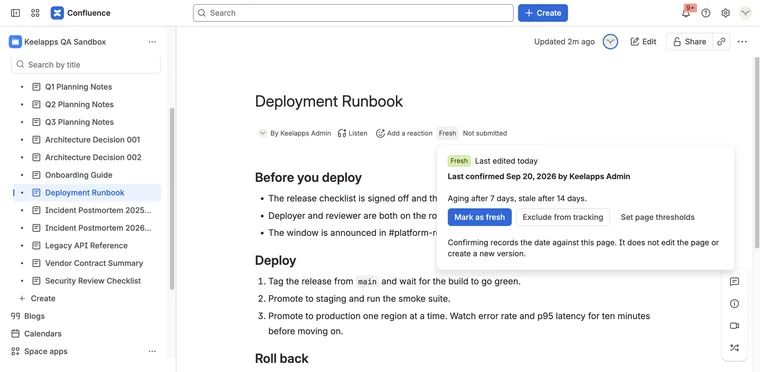
A page that was right two years ago still looks right today.
Evergreen for Confluence Runs on Atlassian
-
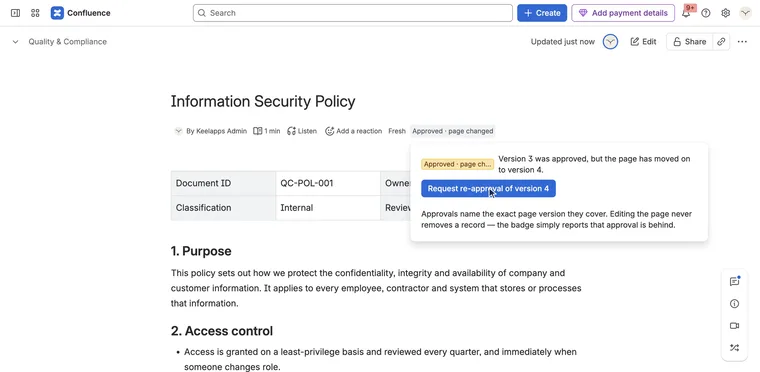
Who approved this version of this page — and is that still good?
Signoff for Confluence Runs on Atlassian