For the admin holding a list of three hundred pages
Change three hundred pages at once — and put them back if it was wrong
Curator filters a Confluence space or a page tree, then re-labels, moves or archives what it found. Every batch is previewed page by page before a single write, and every batch but archiving can be undone as a whole: the labels it added come off, the ones it removed go back, and a page someone has moved since is left where they put it. Nothing leaves Atlassian.
Free for sites up to 10 users. Above that it is priced per user per month and billed by Atlassian — see pricing on the Marketplace.
Zero egress. Previews, undo journals and history stay in your Atlassian tenant.
Watch the 1:05 demo- Works in
- Confluence Cloud
- Runs on
- Atlassian Forge
- Your data
- Never leaves Atlassian
- Price
- Free up to 10 users
The gap this fills
Confluence Cloud changes labels one page at a time. It cannot rename, merge or delete a label anywhere, nor add one to many pages at once, and both requests have sat at Gathering Interest for years: CONFCLOUD-7681 (rename, merge and delete, open since 2007) and CONFCLOUD-17373 (mass add and remove, since 2009).
It moves one page together with its whole tree, into any space — but not a
chosen set of pages that do not share a parent, such as every page labelled
deprecated. On CONFCLOUD-73945 the official answer is a guide to doing
it through the API. Archiving is the bulk action Confluence does have: Premium and
Enterprise archive up to 500 items at once from the space's content manager; on
Standard it is one page at a time, with the pages nested under it if you choose,
and the Free plan cannot archive.
Capabilities
What it does
Pick pages precisely
Per space or per page tree: title contains, updated before or after, created by, has all of these labels, has none of these, include archived. The result is counted before anything happens.
Change them in bulk
Add, remove or replace labels. Move pages under a different parent page, or into another space. Archive them. One filter, one action, one batch.
A dry run, every time
Before a single write: how many pages change, the first fifty with the exact per-page edit, how many are skipped and why — every skip reason gets its own sentence, never a shrug — and whether the operation can be undone.
Undo the batch, not the page
Every run records what it changed on each page, and undo takes back exactly that — the labels it added, the labels it removed, the parent it moved a page from. A page someone has moved since is left where they put it, and named.
Govern labels site-wide
In Confluence settings, for site admins: every shared label with a usage count, then rename, merge or delete it across the whole site. Personal favourites are never listed and never touched.
History you can hand over
Who ran what, when, over how many pages, and whether it can still be taken back — exportable as CSV. An undo is itself an operation in that history.
Walkthrough
Retiring a label, end to end
-
Find out what carries it
The label catalogue lists every shared label on the site with a usage count and the time that count was taken.
deprecated-2024turns out to be on 312 pages across nine spaces. -
Read the dry run
Rename it, and before anything is written Curator prices the batch in API points, names how many pages would change, lists the first fifty with their exact edit, and reports every page it would skip with its own reason.
-
Run it, paced
Confluence's hourly API quota belongs to the app and is shared across every site running it, so the batch paces itself: when this site has used its share it pauses and resumes in the next window rather than draining the pool for somebody else's tenant.
-
Take it back if it was wrong
One click takes the rename back on every page: the new label comes off, the old one goes back on, and nothing else on the page is touched. The undo appears in the history as its own operation.
Compared honestly
Against what you have today
| Question | Native Confluence | Curator |
|---|---|---|
| Add or remove a label on three hundred pages? | One page at a time | One previewed batch |
| Rename, merge or delete a label? | Not possible | Site-wide, previewed |
| Move a chosen set of pages into another space? | One page and its tree at a time | Any filtered set, one batch |
| Archive pages in bulk? | Premium and Enterprise: up to 500 at once. Standard: one page, with its nested pages if you choose | Filtered batches, Standard and above |
| Take a batch back afterwards? | No batch to take back | Relabels and moves, in one click |
| Does anything leave Atlassian? | — | Never |
Limits
Limits we state up front
Two of these come from Confluence itself. Curator says so in the interface — in the preview, on the confirm button and in the history — rather than letting you discover them halfway through a batch.
Curator cannot undo an archive. Confluence has no API for restoring archived pages (CONFCLOUD-75065 is still Gathering Interest), so archive is the one operation without a batch undo. The pages are not lost: Confluence restores them under Space settings → Content → Archived — one at a time, or on Premium together with the pages nested under them. Everything else Curator does can be taken back as a batch. Archiving also needs Confluence Standard or above; Free has no page archiving at all.
Renaming a label is not an atomic operation. Confluence has no rename or merge endpoint — a label is a string on a page, not an entity. Curator does the only thing that exists: remove the old label and add the new one on every page carrying it. Which is precisely why the dry run, the resumable checkpoint and the batch undo matter most here.
Label usage counts are derived, not reported. Confluence's label endpoint returns names and ids and nothing else, so Curator counts by walking each label's pages in the background and stamps every row with when it was counted.
Attachments are out of scope, deliberately. For those, see Satchel for Confluence.
Availability
Free for sites up to 10 users.
Curator installs into your Confluence Cloud site straight from its listing on the Atlassian Marketplace. Above ten users it is priced per user per month, and licensing is handled by Atlassian.
-
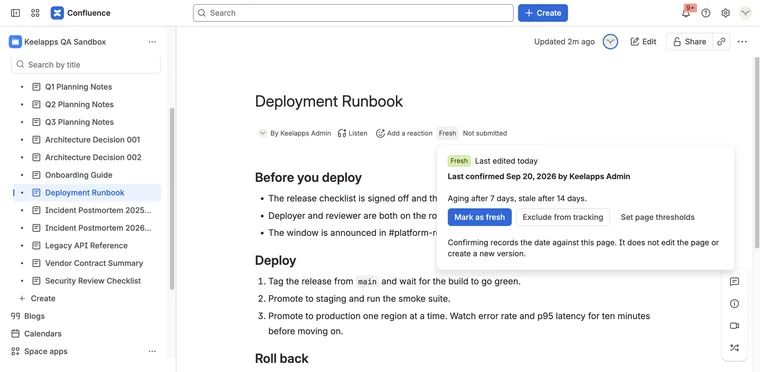
A page that was right two years ago still looks right today.
Evergreen for Confluence Runs on Atlassian
-
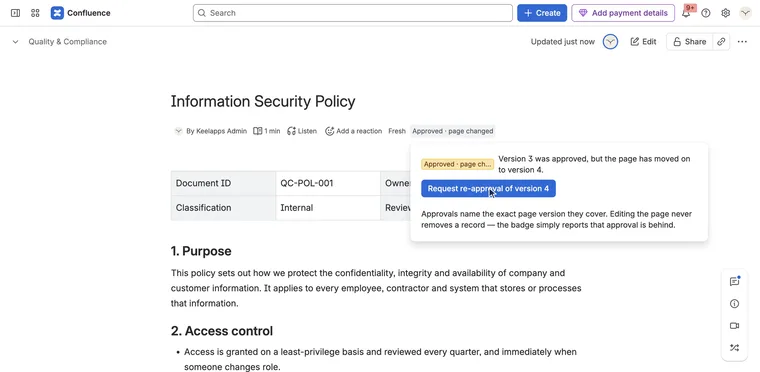
Who approved this version of this page — and is that still good?
Signoff for Confluence Runs on Atlassian
-
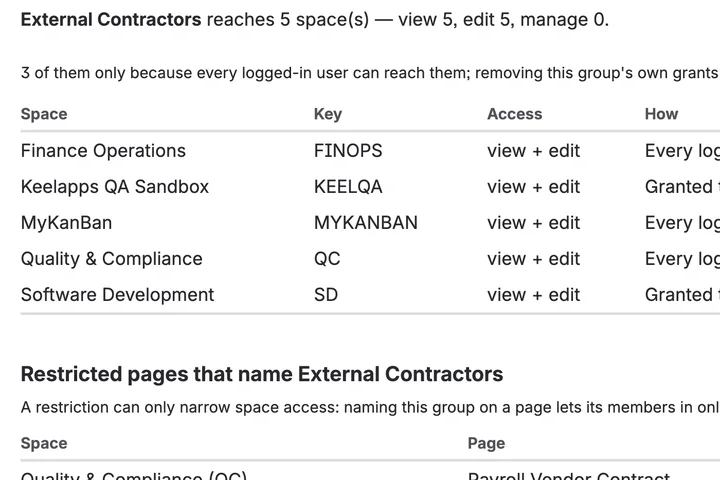
Which spaces can this group reach, and which pages are locked?
AccessLens for Confluence Runs on Atlassian