For teams whose work repeats on a calendar
The work that has to happen every month, happening every month.
Weekly reports, monthly maintenance, quarterly access reviews, certificate renewals. Jira can repeat a work item up to monthly, or run an Automation rule you build for each task, and every run of either uses your Automation allowance. Recur works from templates, on any interval, at an hour in the time zone you picked. It creates the issue within an hour after it is due, never before, and tells you exactly what it did — including the times it deliberately did nothing.
Free for sites up to 10 users. Above that it is priced per user per month and billed by Atlassian — see pricing on the Marketplace.
No egress. Nothing leaves your Atlassian tenant.
Watch the 1:05 demo- Works in
- Jira Cloud
- Runs on
- Atlassian Forge
- Your data
- Never leaves Atlassian
- Price
- Free up to 10 users
The gap this fills
Jira can repeat a work item: Set to recur, on a schedule or after the last one is done — daily, every weekday, weekly, every two weeks or monthly, at the time of day you set it up. For a quarter, the first Monday, or 09:00 in another time zone you build an Automation rule, one per task. Either way every run uses Automation steps from your plan's allowance.
Capabilities
What it does
Never pile up the same task twice
Decide per template what happens when last month's issue is still open: create it anyway, skip this round, or hold it and create it at the first hourly check after the previous one closes. Every skip is recorded with its reason.
See the next ten runs before you save
The editor previews the next ten occurrences as you type, in the template's own time zone. Nothing about the schedule is left to be discovered later.
Time zones that survive daylight saving
09:00 stays 09:00 across the switch. Monthly on the 31st falls back to the last day of shorter months — 28 February, or the 29th in a leap year.
“Why was there no issue” always has an answer
A template's last twenty runs are accounted for in its history: the issue each created, or the reason it did not. A skip is a recorded result, never a silent absence.
Assignees that rotate
Walk a list in order and wrap around, so the same person is not on the hook every time. Deactivated members are skipped rather than assigned.
Runs entirely on Atlassian infrastructure
Built on Forge. No external servers and no data leaving Atlassian, so a security review has no vendor infrastructure to assess — only the four scopes it asks for.
Walkthrough
A monthly maintenance check, end to end
-
Build the issue once
Issue type, summary, description, assignee.
{{date}}and{{n}}fill themselves in, so TLS renewal check #4 numbers itself. -
Pick the cadence and the time zone
Every N days, weeks on chosen weekdays, months on a date, or months on the nth weekday — first Monday, last Friday.
-
Say what happens if the last one is still open
Create anyway, skip, or wait for it to close. Per template, not per site.
-
Check the preview, then save
Ten dated runs, in the template's own time zone, before the template exists. From then on the history shows what each one did.
Compared honestly
Against what you have today
| Question | Jira's Set to recur | An Automation rule you build | Recur |
|---|---|---|---|
| Every three months, or every six weeks? | Up to monthly, or every 2 weeks | Yes, one rule per task | Any interval |
| The first Monday of the month? | A date, or the last day | Yes | Yes |
| At 09:00 in your time zone? | At the time of day you set it up | A time and a time zone | Yes, across daylight saving |
| What if the last one is still open? | Its two modes, Scheduled or Completed | A condition you write into the rule | Create, skip or wait, per template |
| Why was no issue created on Monday? | The Automation audit log | The Automation audit log | Per template, with the reason |
| Uses your Automation allowance? | Yes, every run | Yes, every run | No |
How to do each of these with Set to recur or an Automation rule, with cron expressions to copy, is in the guide to recurring tasks in Jira.
Guides
Guides on recurring tasks
-
How to create recurring tasks in Jira Cloud
Jira Cloud's Set to recur repeats a work item up to monthly.
Availability
Free for sites up to 10 users.
Recur installs into your Jira Cloud site straight from its listing on the Atlassian Marketplace. Above ten users it is priced per user per month, and licensing is handled by Atlassian.
-
Six emails about one issue, folded into one summary.
Digest for Jira Runs on Atlassian
-
Give a colleague one link instead of a Jira tutorial
Prefill for Jira Runs on Atlassian
-
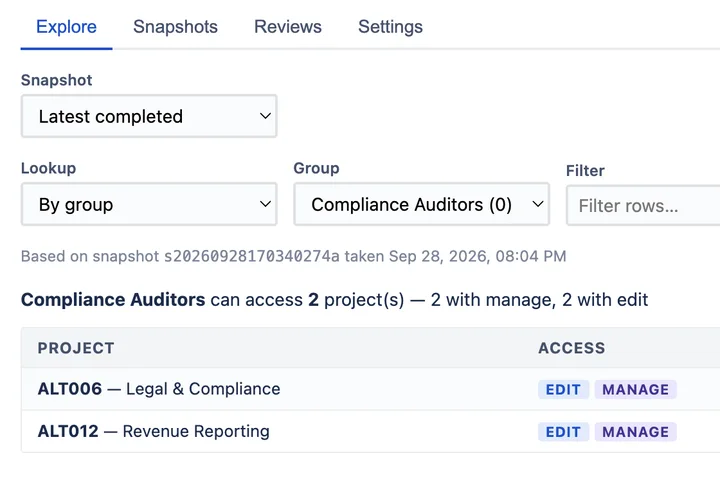
Prove who can access what in Jira — at a point in time.
AccessLens for Jira Runs on Atlassian