For teams whose pages need a real sign-off
Who approved this version of this page — and is that still good?
Signoff answers on the page itself. Every approval names the exact version it covered, and the badge turns to “Approved · page changed” the moment anyone edits — computed live against the page, never stored. It works on every Confluence plan; Confluence’s own approvals are in open beta on Premium and Enterprise only. Policies are defined once and bound to spaces by reference, so three hundred spaces follow one rule without it being copied into any of them.
Free for sites up to 10 users. Above that it is priced per user per month and billed by Atlassian — see pricing on the Marketplace.
Zero egress. Approval records never leave your Atlassian tenant.
Watch the 1:03 demo- Works in
- Confluence Cloud
- Runs on
- Atlassian Forge
- Your data
- Never leaves Atlassian
- Price
- Free up to 10 users
The gap this fills
Quality manuals, SOPs, release notes, legal copy — pages whose whole value is that someone stood behind a specific version of them. Confluence Premium and Enterprise now have approvals of their own, in open beta: sign-off requested on the page, required approvers per space, a due date, an activity log. On Free and Standard there are none. Signoff works on every plan, records exactly which version each approval covered, and says so when the page moves on.
Capabilities
What it does
Sign-off in one click
Request approval from the page itself: approvers come from the space's policy or your own pick, any-one or all-must-approve, with an optional note to the approvers.
A badge that cannot lie
An approval names the page version it covered. The badge compares that against the live page every time it renders — “Approved · v12” becomes “page changed” the moment anyone edits, with re-approval one click away.
One policy, every space
Define approvers, mode and validity once. Spaces bind by reference or simply inherit the site default; editing the policy updates every bound space at once. Nothing is ever copied.
Approvals that expire
A policy can give approvals a validity of 3 to 24 months. A daily scan surfaces everything due for re-approval — site-wide for admins, and in each signer's own inbox.
Notified by Confluence itself
Approvers are @-mentioned in a page comment, so requests reach them through Confluence's own bell and email — and the approval trail is visible on the page. Admins can switch the comments off.
An audit trail an auditor can use
Every request, decision and cancellation, exportable as CSV: who approved which version of which page, and when. Built on Forge, zero external calls.
Walkthrough
An SOP review, end to end
-
The policy exists already
The site admin defined “Quality documents” once: two named approvers, everyone must approve, valid for twelve months. The QMS space inherits it without any setup.
-
The author requests sign-off
One click on the page. The approvers are @-mentioned in a comment and the request lands in their approvals inbox; the badge reads “In review”.
-
Approvers decide from the queue
Approve or request changes right from the inbox, with a comment. The moment the request settles, the badge reads “Approved · v7, valid until next August”.
-
The truth maintains itself
Someone edits the page in March — the badge degrades to “page changed” by itself. Next August the approval expires and the page appears on the due list. Nobody had to remember anything.
Compared honestly
Against Confluence’s own approvals
| Question | Confluence approvals | Signoff |
|---|---|---|
| Which Confluence plans? | Premium and Enterprise, in open beta | Every plan, Free included |
| Who approves? | Picked per request; a space can require up to five | One policy for many spaces |
| Keeping approvals current | A due date, with reminders | 3–24 month validity, due list |
| The record | An activity log on the page | On the page, plus a site-wide CSV |
| Holding back publication | Can require approval before a new page is published | Cannot — it reports status only |
| Where the records live | In Confluence | Forge storage on your site |
How to run approvals with Confluence’s own tools on every plan, and what to check before you pick an approval app, is in the guide to page approval in Confluence.
Guides
Guides on page approvals
-
How to get a page approved in Confluence Cloud, on any plan
Confluence Cloud has page approvals on Premium and Enterprise only.
Availability
Free for sites up to 10 users.
Signoff installs into your Confluence Cloud site straight from its listing on the Atlassian Marketplace. Above ten users it is priced per user per month, and licensing is handled by Atlassian.
-
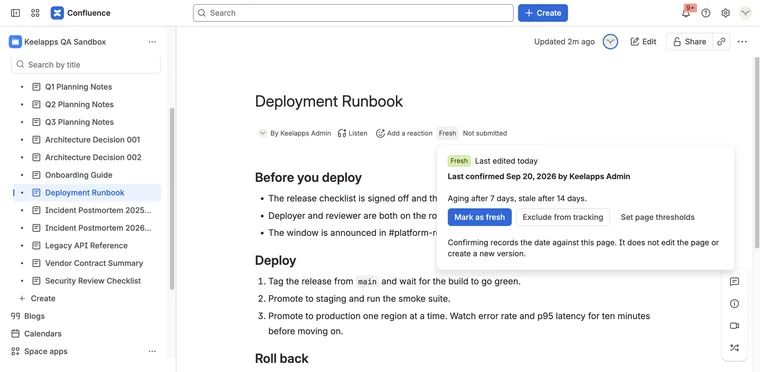
A page that was right two years ago still looks right today.
Evergreen for Confluence Runs on Atlassian
-
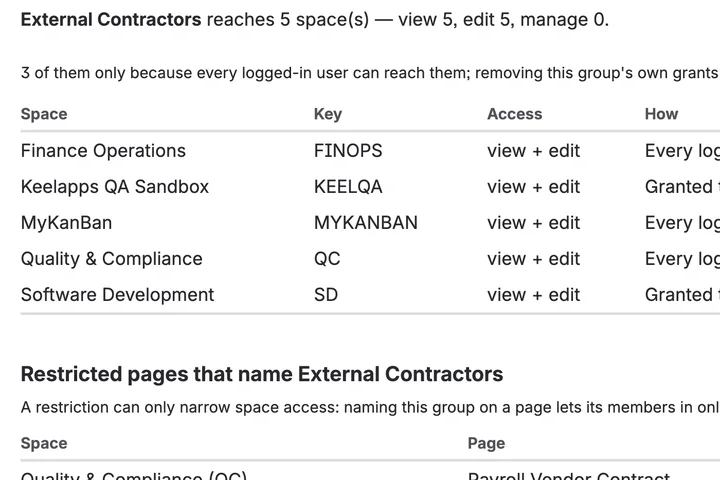
Which spaces can this group reach, and which pages are locked?
AccessLens for Confluence Runs on Atlassian
-
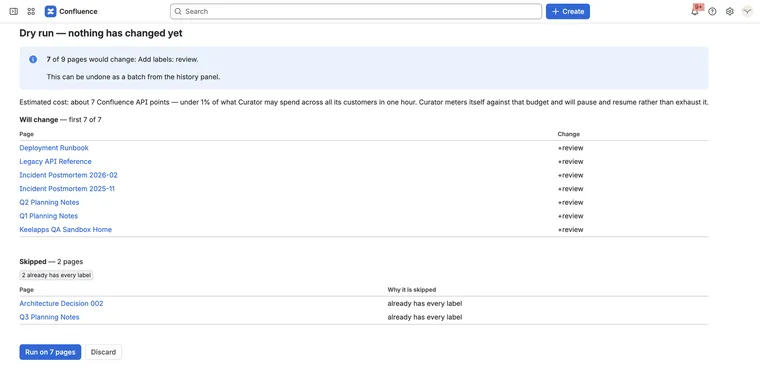
Change three hundred pages at once — and put them back if it was wrong
Curator for Confluence Runs on Atlassian