For teams whose knowledge base is quietly rotting
A page that was right two years ago still looks right today.
Confluence shows when a page was last updated, and its Verified status lets an owner vouch for pages one at a time. Evergreen gives every Confluence page a freshness status on its own, and gives the people who know it a one-click way to say “I checked, it's still correct” — without editing the page, creating a version, or pinging a single watcher.
Free for sites up to 10 users. Above that it is priced per user per month and billed by Atlassian — see pricing on the Marketplace.
No egress. Runs entirely on Forge — nothing leaves your Atlassian tenant.
Watch the 0:56 demo- Works in
- Confluence Cloud
- Runs on
- Atlassian Forge
- Your data
- Never leaves Atlassian
- Price
- Free up to 10 users
The gap this fills
Confluence has pieces of this. Verified is set page by page, by a page's owner or an admin, and an Automation template can un-verify pages nobody has touched and email their owners. The content manager in space settings filters a space's pages by last activity. None of it gives every page a status of its own that readers see on the page.
The apps in this category that do are full content-lifecycle suites: archiving workflows, approval chains, automated clean-up jobs — a lot of machinery when all that was wanted is a red/yellow/green signal and a button that says it's still fine. Evergreen deliberately stops there.
Capabilities
What it does
A badge on every page
Fresh, Aging or Stale — right in the byline, based on when the page was last edited and when someone last vouched for it. Readers see at a glance whether to trust what they're reading.
Confirm in one click
“Mark as fresh” records who checked and when. It does not edit the page, does not create a new version, and does not notify watchers — the confirmation lives beside the page, not in it.
A dashboard per space
How many pages are fresh, aging and stale; the pages needing attention sorted worst-first; filters by status and owner; and bulk actions for confirming or excluding a whole section at once.
Thresholds that layer
Site defaults (90 / 180 days), overridable per space by space admins, and per page from the byline. The most specific layer wins; everything else inherits.
Exclusions that make sense
A label (evergreen-exempt by default), a whole space, or a single
page from its byline. Templates are never tracked at all.
It will not touch your pages
No archiving, no moving, no deleting, no approval workflow, no email. The biggest objection to lifecycle tools — “it will quietly bury something we need” — cannot happen here.
Walkthrough
From install to a trustworthy space, end to end
-
Install and accept the defaults
Aging after 90 days, stale after 180. The daily scan indexes every team space (personal spaces are left alone); there is nothing to model and nobody to train.
-
Open the space dashboard
Space settings → Evergreen. The counts say how bad it is; the “Needs attention” list says exactly where to start, worst first.
-
Work the list
Pages that are still right get confirmed — one click each, or two hundred at a time with a bulk action. Pages that shouldn't be tracked get excluded. Pages someone else must judge go on the review list.
-
Let the badge do the talking
From then on, every reader sees the status on the page itself, and every confirmation resets the clock. The dashboard stays quiet until something actually goes stale.
Compared honestly
Against what you have today
| Question | Confluence on its own | Lifecycle suites | Evergreen |
|---|---|---|---|
| Can a reader tell a stale page from a current one? | The updated date, and Verified where someone set it | After configuration | Badge on every page |
| Can an owner vouch for a page without editing it? | Yes: the Verified status (owners and admins) | Usually a workflow step | One click, for anyone who reads it |
| A list of what needs attention, per space? | The content manager filters by last activity; no status | After configuration | Aging and stale, worst first |
| Time from install to first insight? | — | Days of setup | One daily scan |
| Can it archive or delete something you still need? | Only when a person or a rule does | Yes — the top complaint | Cannot; no such code |
| Does page data leave Atlassian? | No | Sometimes — external servers | Never |
Availability
Free for sites up to 10 users.
Evergreen installs into your Confluence Cloud site straight from its listing on the Atlassian Marketplace. Above ten users it is priced per user per month, and licensing is handled by Atlassian.
-
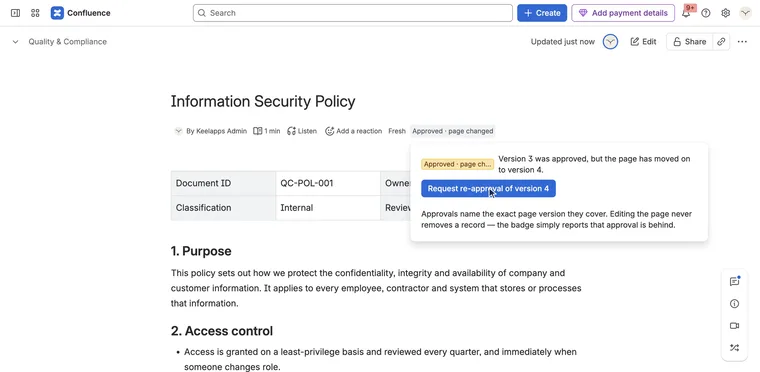
Who approved this version of this page — and is that still good?
Signoff for Confluence Runs on Atlassian
-
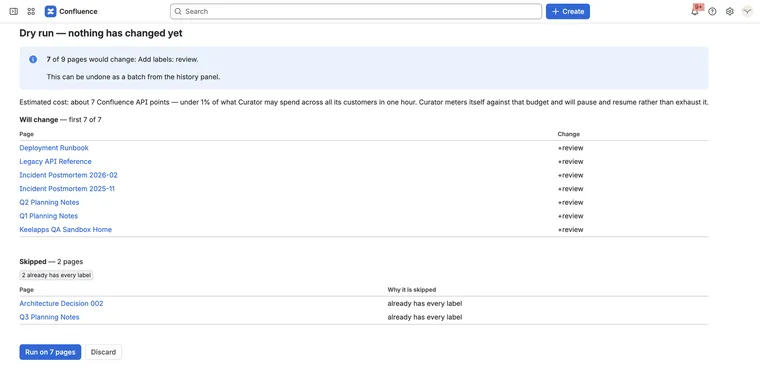
Change three hundred pages at once — and put them back if it was wrong
Curator for Confluence Runs on Atlassian
-
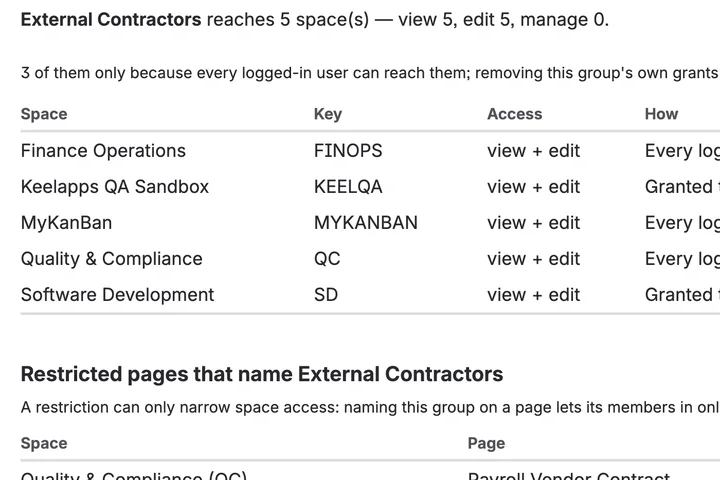
Which spaces can this group reach, and which pages are locked?
AccessLens for Confluence Runs on Atlassian