 Releases for Bitbucket
For the tag that says nothing about what shipped
A tag should say what shipped, and who approved it.
GitHub has had release pages since 2013. In Bitbucket Cloud a tag is still a name on a commit. Releases for Bitbucket turns every tag into a release: its notes from git, the pull requests it brought with who approved them, whether it built, and its files in Downloads. Export any release as Markdown or JSON. Nothing to configure, and nothing leaves Bitbucket.
Free on every workspace. Bitbucket Cloud apps are not billed through the Marketplace.
Read-only. Two read scopes, no storage, and the app declares no external network access.
- Works in
 Bitbucket Cloud
- Runs on
- Atlassian Forge
- Your data
- Never sent to us
- Price
- Free
The gap this fills
BCLOUD-11404 — attach release notes and artifacts to tags, like GitHub Releases — has been open since 2015. Bitbucket Cloud lists tags, and stops there: no notes, no list of what changed, no files.
So a release lives in a wiki page someone writes by hand, a changelog nobody links, and a Slack thread. When an auditor asks who approved what went out in 2.3.0, someone spends an afternoon in the commit log.
Capabilities
What it does
Every tag, as a release
A Releases page in the repository sidebar, newest first, with the latest final release and pre-releases marked, and a Latest release card on the Source page.
Notes from git, not from the app
The annotated tag's message, or the version's section of CHANGELOG.md at
the tagged commit. Nobody can edit them in the app afterwards.
What changed since the last release
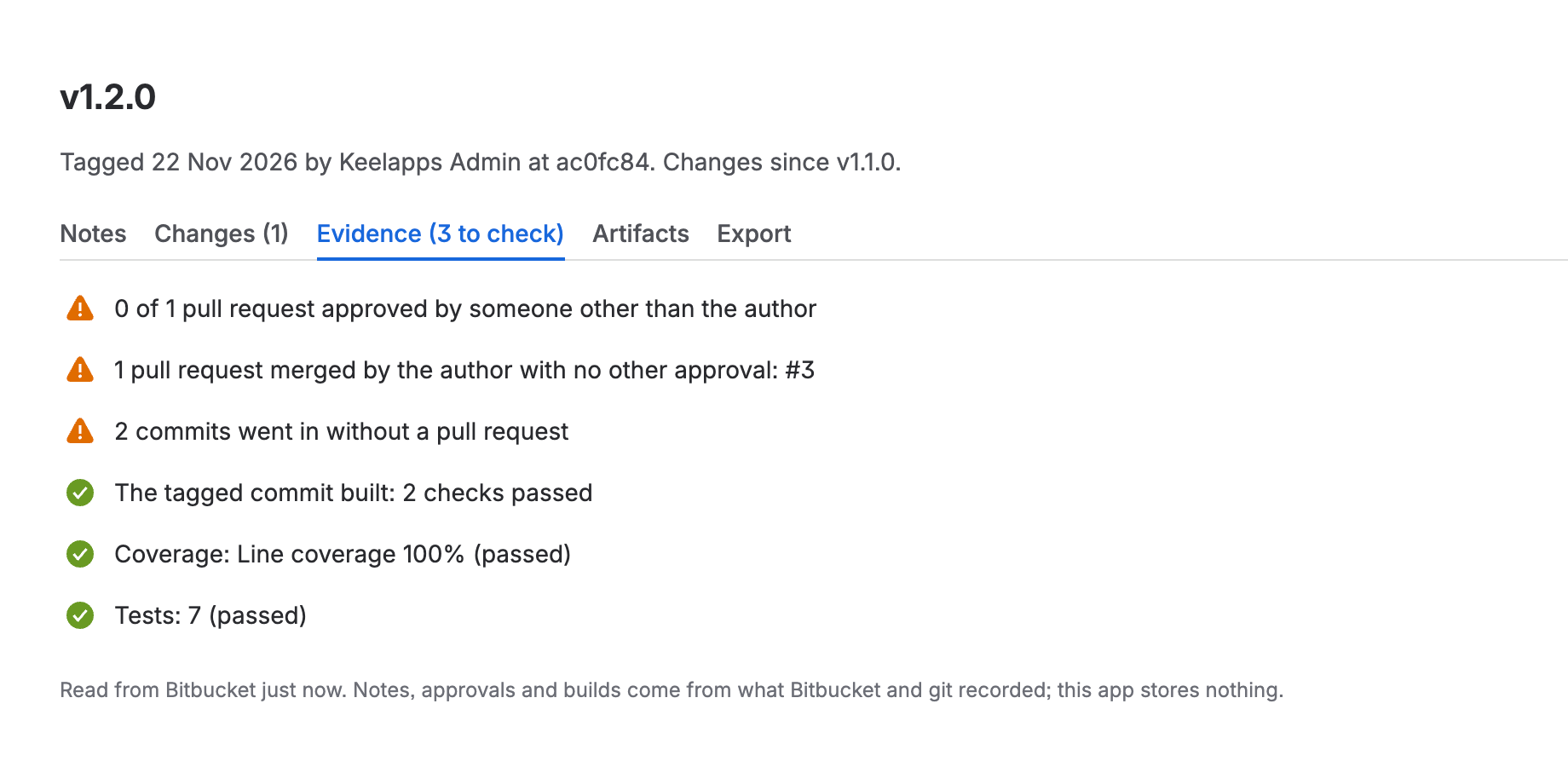
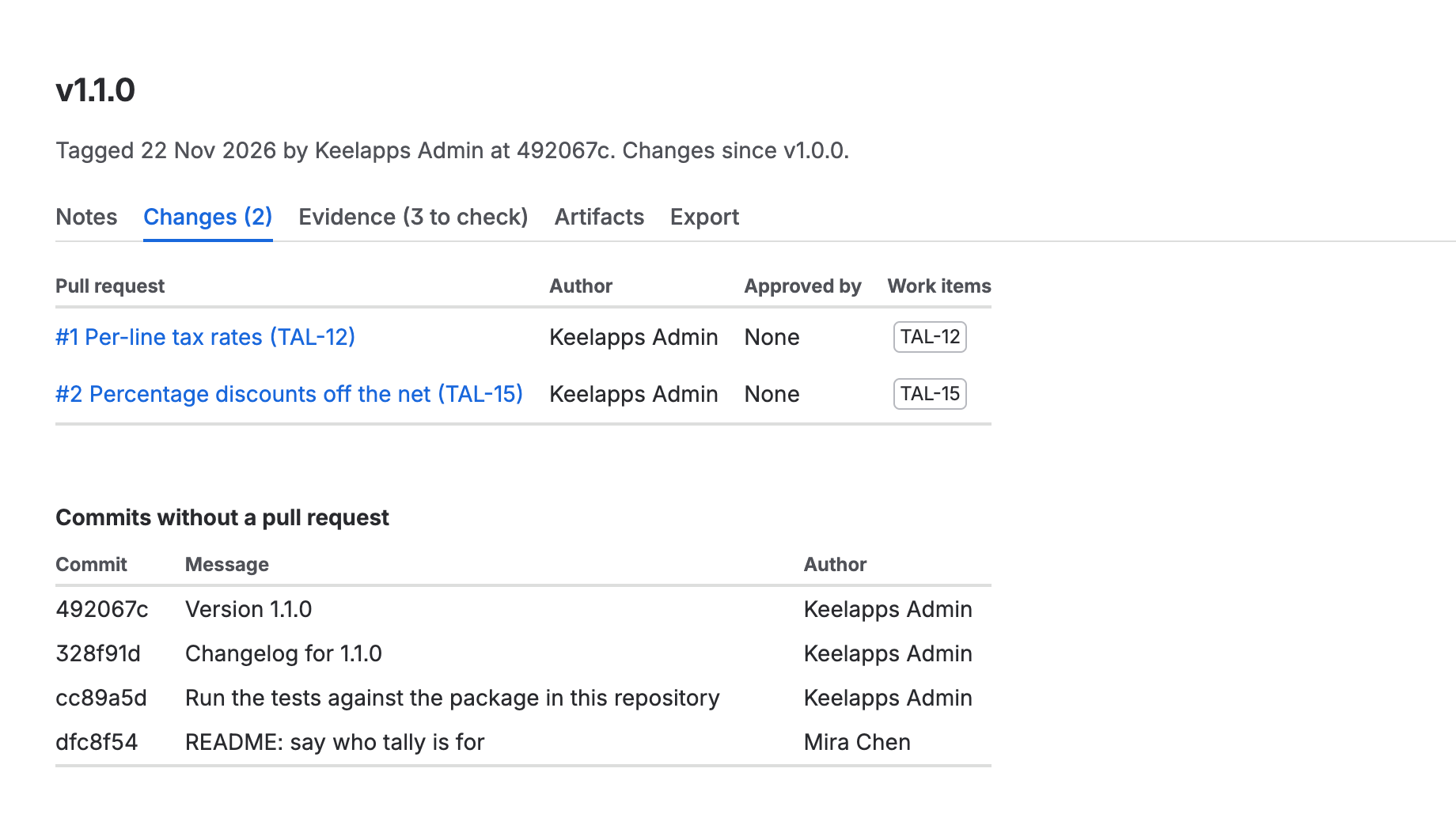
The pull requests in the release with their authors, approvers and Jira work item keys, and every commit that went in without one.
The evidence behind it
Which pull requests someone else approved, which were merged by their own author, whether the tagged commit built, and every Code Insights report on it.
Its files, from Downloads
The files in Downloads whose names carry the version, so a release shows its build output without anyone attaching it by hand.
Markdown and JSON export
Copy a release as Markdown for a wiki page, a customer or a change ticket, or as JSON for an audit file.
On the release
Every pull request since the last tag
Walkthrough
From a tag to a release anyone can read
-
Install the app on your workspace
Install it as a workspace administrator. Every repository gets a Releases page and a Latest release card. There are no settings.
-
Tag the way you already do
git tag -a v1.4.0 -m "…", or a section for1.4.0inCHANGELOG.md. Tags you pushed years ago are releases too. -
Open Releases in the sidebar
Each release has its notes, its pull requests and approvals, its build and reports, and its files.
-
Export it
Paste the Markdown into Confluence or a change ticket, or file the JSON with your audit evidence.
Compared honestly
Against what Bitbucket does today
| Question | Bitbucket Cloud | Releases for Bitbucket |
|---|---|---|
| Release notes on a tag? | No — the tag message only in git | From the tag or the changelog, on a release page |
| What changed since the last release? | Compare two refs by hand | Pull requests and direct commits, per release |
| Who approved what shipped? | Open each pull request | Approvers per pull request, self-merges flagged |
| Files attached to a release? | No — Downloads is one flat list | Matched to the release by version |
Limits
Limits we state up front
It shows what git and Bitbucket recorded. Notes you never wrote are not invented: a tag with no message and no changelog section shows its pull request titles and says so.
Tags, not a release workflow. It does not create tags, draft notes or upload files. Your pipeline and your git habits stay as they are.
Big releases are cut short. A release reads up to 500 commits and 60 pull requests, and the newest 1,000 tags are listed. Past that, the page says so.
Availability
Free, on every Bitbucket Cloud workspace.
A workspace administrator installs Releases for Bitbucket from Atlassian's install page in one click. There is no paid tier: Bitbucket Cloud apps are not billed through the Marketplace.
-
Bitbucket · PR coverageLive
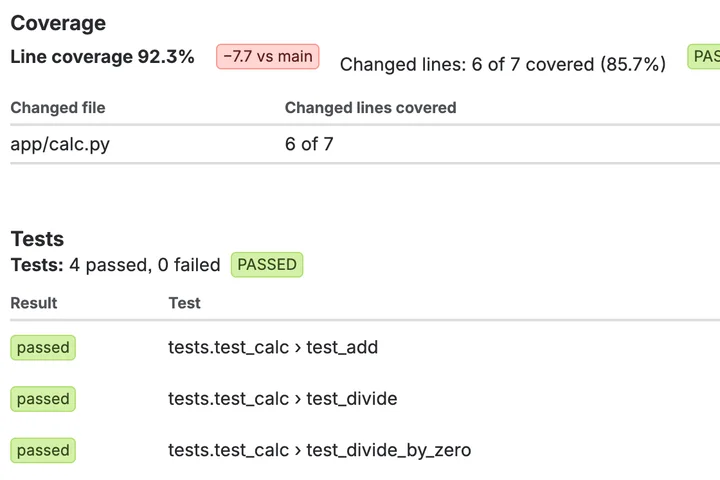
A pull request should say which of its new lines no test ran.
 Coverage for Bitbucket
-
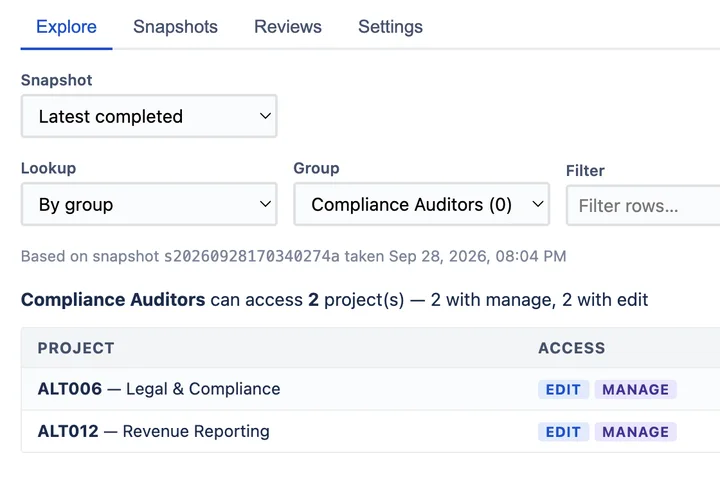
 Jira · Permission auditLive
Prove who can access what in Jira — at a point in time.
 AccessLens for Jira Runs on Atlassian
-
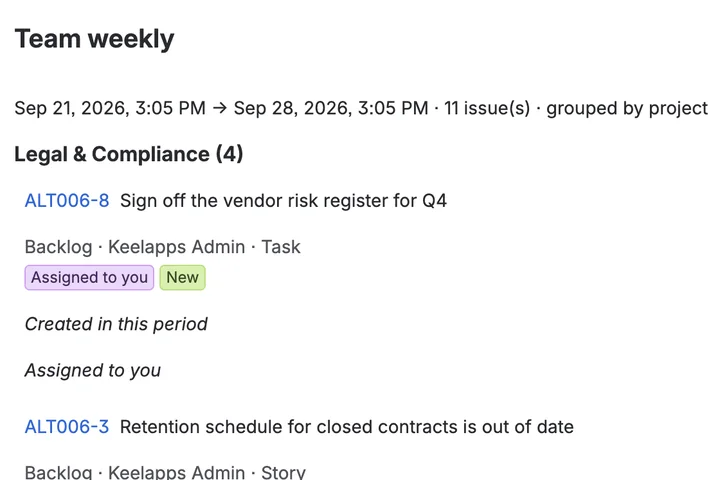
Jira · Scheduled reportingLive
Six emails about one issue, folded into one summary.
 Digest for Jira Runs on Atlassian